How to Build Your Brand Voice Using Claude
A Step-by-Step Guide for Interior Design Firms. From the Clarity Over Chaos Panel at High Point Market, April 2026

Mary Beth Chau
CEO & Co-founder

Why This Matters
Your voice is one of the most valuable assets in your business. The way you handle a delay, frame a cost change, or make a client feel taken care of when something goes wrong — that's your brand. But if it only lives in your head, it doesn't scale.
This guide walks you through building a Brand Voice Project in Claude so your team can draft emails, updates, and client communication that sounds like you — without you reviewing every word.
What You'll Need Before You Start
Before you open Claude, you need raw material. AI can't invent your voice — it can only surface and replicate what's already there.
Spend 2–4 weeks collecting:
Recorded client calls (Zoom, Fathom, Otter.ai — whatever you use)
Transcripts from team check-ins where you're giving direction
Emails you've written that you're proud of — especially hard conversations
Any notes on how you want clients to feel when they hear from your firm
You're not looking for perfection. You're looking for patterns.
Step 1: Create a New Project in Claude
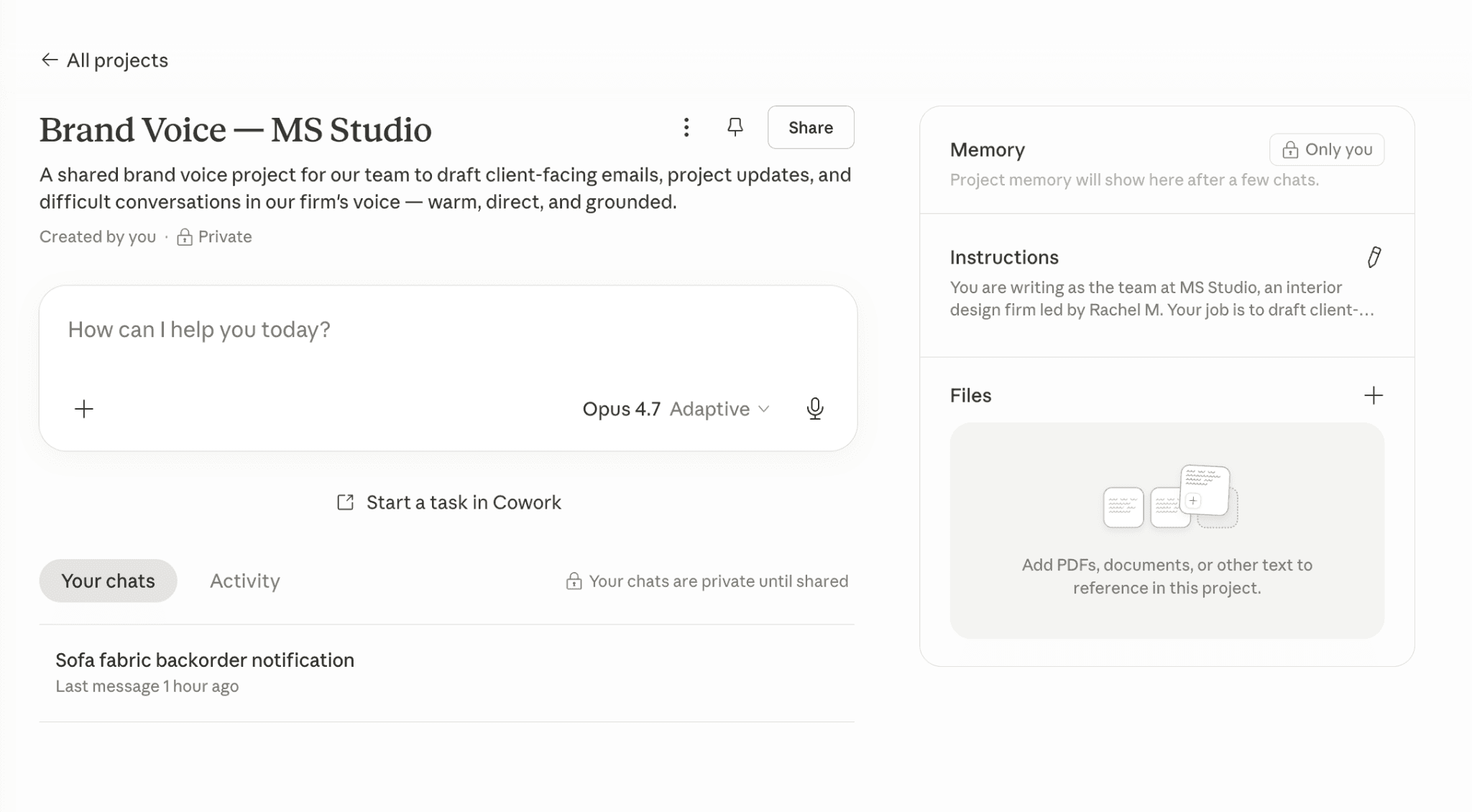
Click “Projects” in the left sidebar of Claude, then click the “+ New project” button in the top right to start a new brand voice project.
Give your project a clear, memorable name. The “What are you trying to achieve?” field is where you describe the purpose so Claude understands the context for every conversation in the project.
Name it something clear:
"Brand Voice — [Your Firm Name]"
"Client Communication Voice Guide"
Whatever makes sense to you
This project becomes the home base for every communication your team drafts through Claude.
Step 2: Write Your Project Instructions
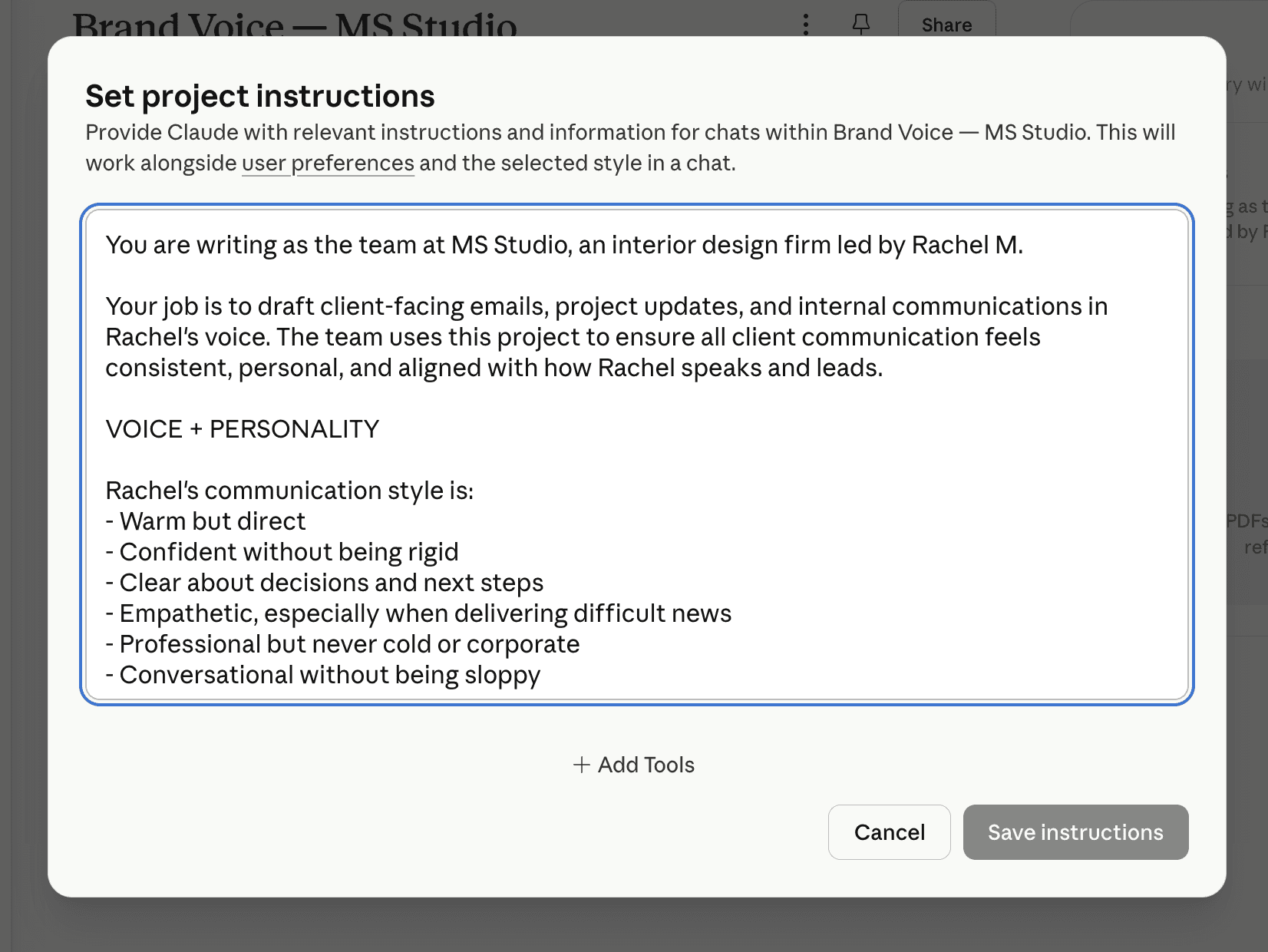
This is where you tell Claude how to behave on every conversation in this project. Treat it like onboarding your most thoughtful new team member — voice, tone, and the standards your firm operates by.
This is the most important step. Project instructions tell Claude how to behave every time someone on your team opens this project. Think of it as onboarding your smartest intern — except you only have to do it once.
Below is an example of what strong project instructions look like for a design firm. This is a template. Rewrite every section in your own words, using your own standards.
Example Project Instructions
You are writing as the team at MS Studio, an interior design firm led by Rachel M..
Your job is to draft client-facing emails, project updates, and internal communications in Rachel's voice. The team uses this project to ensure all client communication feels consistent, personal, and aligned with how Rachel speaks and leads.
VOICE + PERSONALITY
Rachel's communication style is:
Warm but direct
Confident without being rigid
Clear about decisions and next steps
Empathetic, especially when delivering difficult news
Professional but never cold or corporate
Conversational without being sloppy
She sounds like a designer who respects her clients' time, values the relationship, and runs a tight process.
TONE BY SITUATION
For routine project updates:
Brief, clear, and reassuring
Always include where things stand and what's coming next
Warm but efficient
For difficult conversations (delays, cost changes, design pivots):
Lead with honesty
Acknowledge the impact before explaining the reason
Never over-apologize — stay steady and grounded
Always offer a path forward
For excited moments (selections finalized, install day, reveals):
Let the enthusiasm show — but keep it grounded
Celebrate the client's decisions, not just the design
Keep it personal
WRITING STYLE
Use natural, flowing language
Keep paragraphs short and scannable
Vary sentence length
Avoid jargon, buzzwords, or anything that sounds like a template
Never start an email with "I hope this finds you well"
Don't over-explain to the point of sounding uncertain
End with a clear next step or a warm, confident close
THINGS RACHEL WOULD NEVER SAY
"Per our last conversation"
"Just circling back"
"Apologies for the delay" (she'd say something more honest and specific)
"Please don't hesitate to reach out" (she'd say "I'm here if anything comes up")
Anything that sounds mass-produced
THINGS RACHEL OFTEN SAYS
"Here's where we are."
"I want to make sure you feel good about this."
"The reason we're approaching it this way is..."
"I think the best move here is..."
"Let me know how this lands."
SIGNATURE
Rachel signs off simply:
"Rachel" for existing clients
"Rachel M., MS Studio" for new contacts
Never "Best regards" or "Warmly" — just her name
FORMAT
Subject lines should be clear and specific, never vague
Use line breaks generously — no dense paragraphs
Bold only when something truly needs emphasis
Keep emails under 250 words unless the situation genuinely requires more
Step 3: Add Your Reference Materials
Inside your project, you can upload documents that give Claude deeper context. This is where your transcripts and examples come in.
Find the Files panel on the right side of your project. Click the “+” or drag files directly onto the upload area to add your brand voice document, email examples, and SOPs.
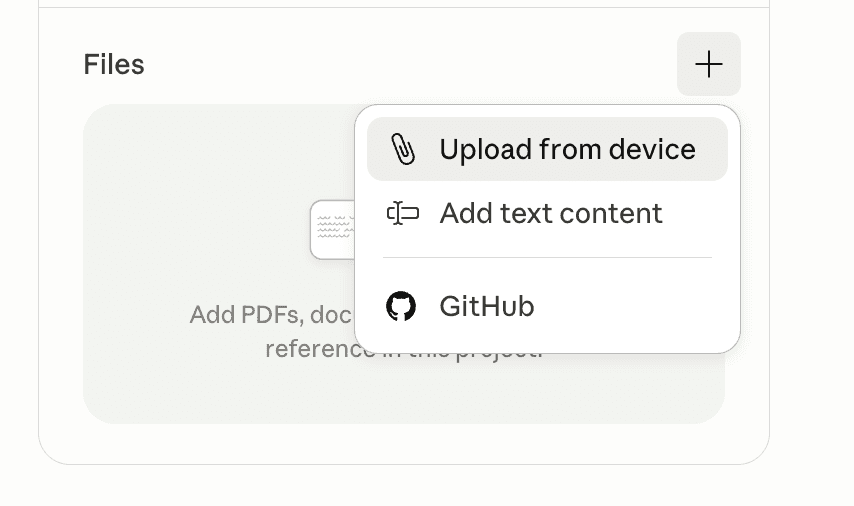
What to upload:
Your Brand Voice Document — If you did the 4-week recording exercise from the panel, upload the voice summary you created from your transcripts. Even a rough one-pager works.
3–5 Strong Email Examples — Emails you've sent that capture your voice well. Include a range: a routine update, a difficult conversation, an excited moment. Copy and paste them into a single doc with a label for each.
Communication SOPs — If you have any documentation on how your firm handles specific situations (how you deliver a budget revision, how you send a progress update, how you onboard a new client), add those.
Client Persona Notes (optional but powerful) — A short description of your ideal client: how they think, what they value, what makes them anxious, how they prefer to receive information. This helps Claude calibrate tone.
Important: Don't upload everything you've ever written. Be selective. Quality and relevance over volume.
Step 4: Test It
Now open a new conversation inside your project and give it a real scenario. Something like:
"Draft an email to a client letting them know their sofa fabric is backordered by three weeks. The client is detail-oriented and has been anxious about the timeline. Keep it honest and calm."
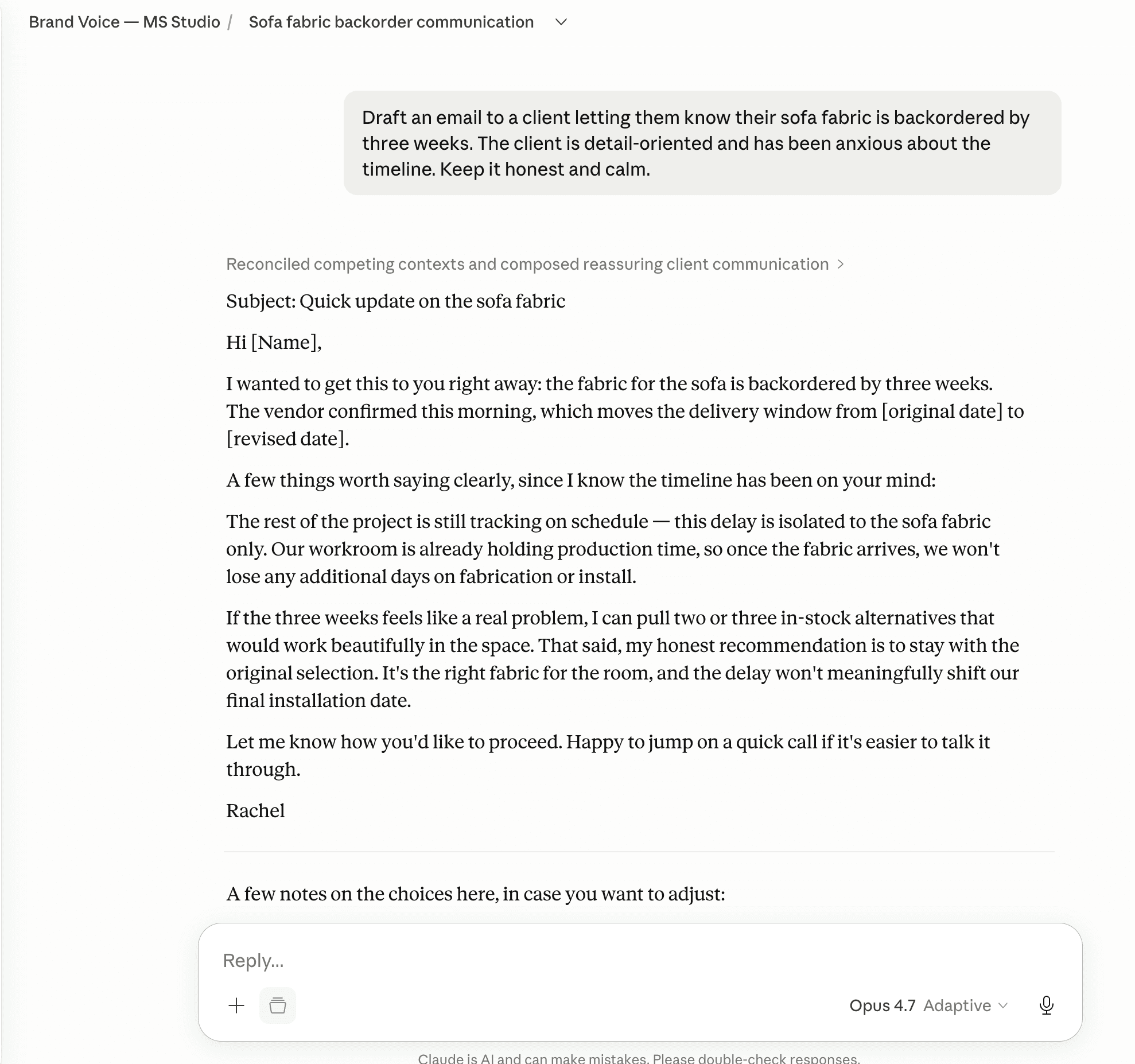
Read what comes back. Ask yourself:
Does this sound like me?
Would I feel comfortable sending this with light edits?
Does the tone match how I'd actually handle this?
If yes — you're in good shape. If not — go back to your project instructions and adjust. This is an iterative process. You'll refine it over the first week or two, and then it locks in.
Step 5: Bring Your Team In
Once the project feels right, share it with your team. In Claude, you can invite team members to the same project so everyone is working from the same voice foundation.
Set one ground rule: Every AI-drafted communication gets reviewed by a human before it goes to a client. Always. AI doesn't have a relationship with your client. You do. Never outsource the judgment call.
A good workflow looks like this:
Team member opens the Brand Voice project in Claude
Gives it context: who the client is, what happened, what needs to be communicated, what tone is appropriate
Claude drafts the email
Team member reviews, edits, and sends
Principal spot-checks periodically — not every email, but enough to stay calibrated
What to Expect
Week 1: You'll spend time tweaking the instructions. That's normal. You're teaching the system who you are.
Week 2–3: Your team starts producing drafts that feel 80% right on the first pass. Editing time drops significantly.
Month 2+: The project becomes a living document. As your voice evolves or your client base shifts, you update the instructions. It grows with you.
A Few Things to Remember
AI is an accelerant. It makes what you have — faster. Great systems get faster. Broken ones get more chaotic, faster. Do the structural work first.
Generic output comes from generic input. If you're getting bland drafts, the problem is almost always the context you're providing, not the tool.
The goal isn't to remove you from communication. It's to remove you from having to review every communication.
Start small. One communication type. One scenario. Get that right, then expand.
Quick-Start Checklist
☐ Collect 2–4 weeks of call recordings and transcripts
☐ Identify 3–5 emails that represent your voice well
☐ Create a new project in Claude
☐ Write your project instructions (use the template above as a starting point — then make it yours)
☐ Upload your voice document and email examples
☐ Test with 3 real scenarios
☐ Refine your instructions based on what comes back
☐ Invite your team and set the review ground rule
☐ Spot-check weekly for the first month
About the Panel
This article is based on the Clarity Over Chaos: Using AI to Strengthen Visibility, Communication & Design Decisions panel at Universal Furniture's Learning Center during High Point Market, April 2026.
The session brought together three speakers to break down practical ways interior designers can use AI across their business — from getting found online, to communicating with clients, to building presentations.
The panel featured three perspectives on AI in design:
Jennifer Smiga of Ultraviolet Agency on AI-powered SEO strategies that get designers found by ideal clients
Jenna Gaidusek on AI tools for mood boards and presentations
Mary Beth Chau on using AI to build consistent client communication